SAM.gov and state bid search with a match score
Every opportunity, one pipeline
Browse federal SAM.gov and state portals in one shared feed, score each opportunity against your business profile with a published formula, and move the right ones into a proposal in a single click.
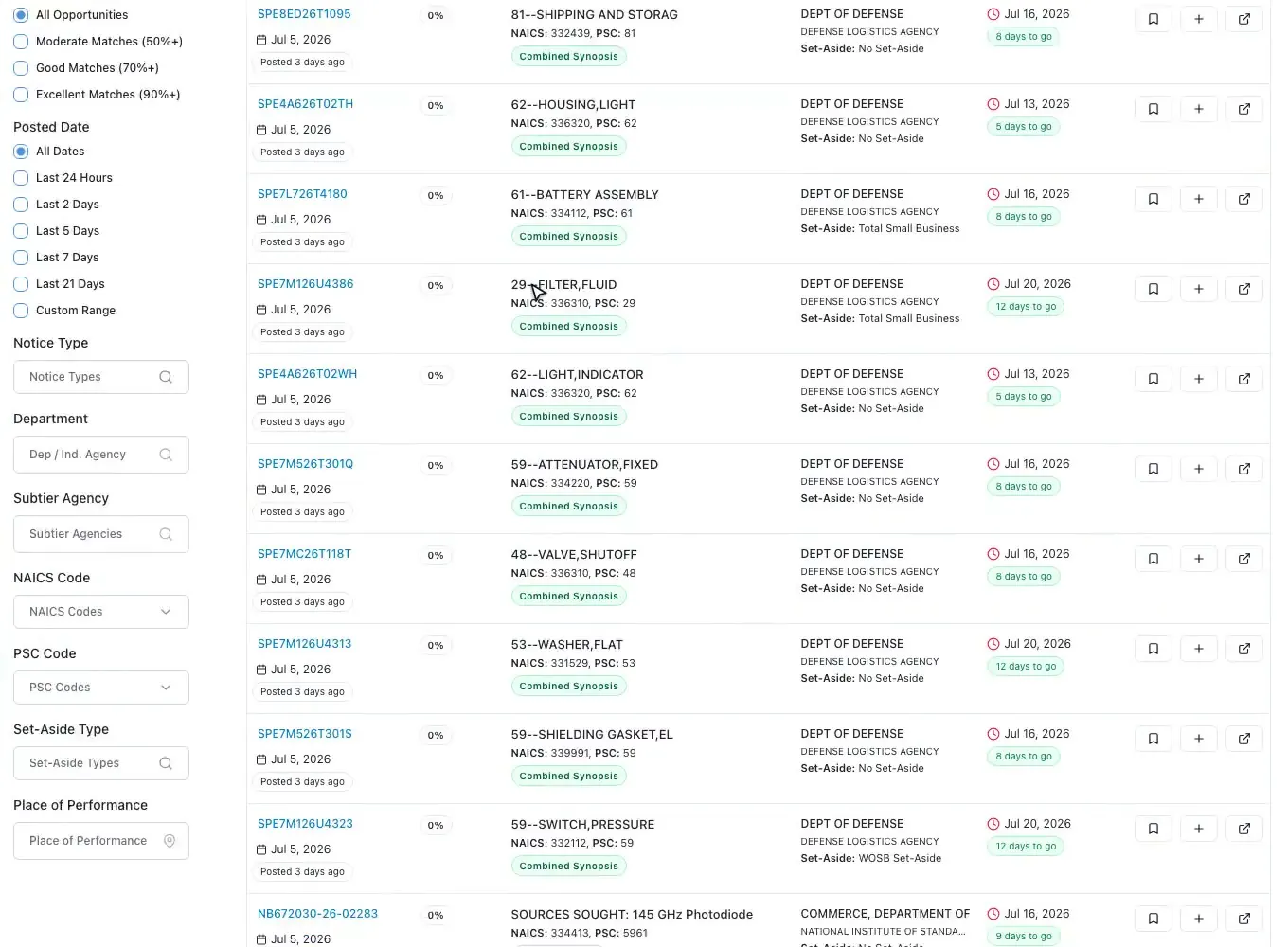
One feed
Federal and state together
SAM.gov opportunities sync daily, and state and local bids from across the US sit in their own workspace beside them, so your whole team browses in one shared place. Search the full text, agencies, and codes, then narrow with a complete filter sidebar.
- Daily SAM.gov sync, plus a separate state and local workspace with nationwide coverage
- Multi-keyword search across title, description, agency, NAICS and PSC
- Filter by posted date, notice type, department, set-aside and state
- Hierarchical NAICS and PSC tree pickers with a "Not Specified" option
- Every filter is encoded in the URL, so a view is shareable with the team
- Table or card views, each with its own saved page size
Scoring
Transparent match scoring
Each opportunity gets a 0-to-100 fit score against your business profile using a published, rules-based formula - not a black box. The badge lists exactly which criteria matched, so an evaluator can see why a bid ranks where it does.
- Weighted formula: NAICS 30, PSC 25, agency 15, set-aside 15, state 10, keywords 5
- Color-coded badge from Excellent to Minimal with a matched-criteria list
- Rules-based and computed in the browser, not an LLM guess
- Filter the feed to 50%, 70% or 90%-plus matches
- Score header links to Business Profile and Past Performance to raise fit
AI search
Search in plain English
Type keywords and they become filter chips. Paste a description of what your company does and the search bar detects it, then AI turns that description into ranked procurement keywords drawn from your company profile.
- Natural-language detection: keywords stay chips, a description triggers AI
- AI keyword extraction reads your legal name, NAICS, capabilities and certs
- Returns 5 to 15 ranked keywords, tuned for federal versus state
- Staged Analyzing, Generating and Applying panel with AI-marked chips
Alerts
Saved searches and alerts
Save any opportunity and the whole team sees who saved it. Store a filtered search as an alert, and a daily briefing email keeps the pipeline in front of everyone without anyone re-running the same search by hand.
- Team-shared saves with a "Saved By" name and email attribution
- The Saved tab is a full replica of browse - filters and scoring included
- Store filtered searches as saved alerts
- Daily opportunity briefing email delivered to the team
- Quick picker applies a saved alert's filters to the current search
Import
One click to a proposal
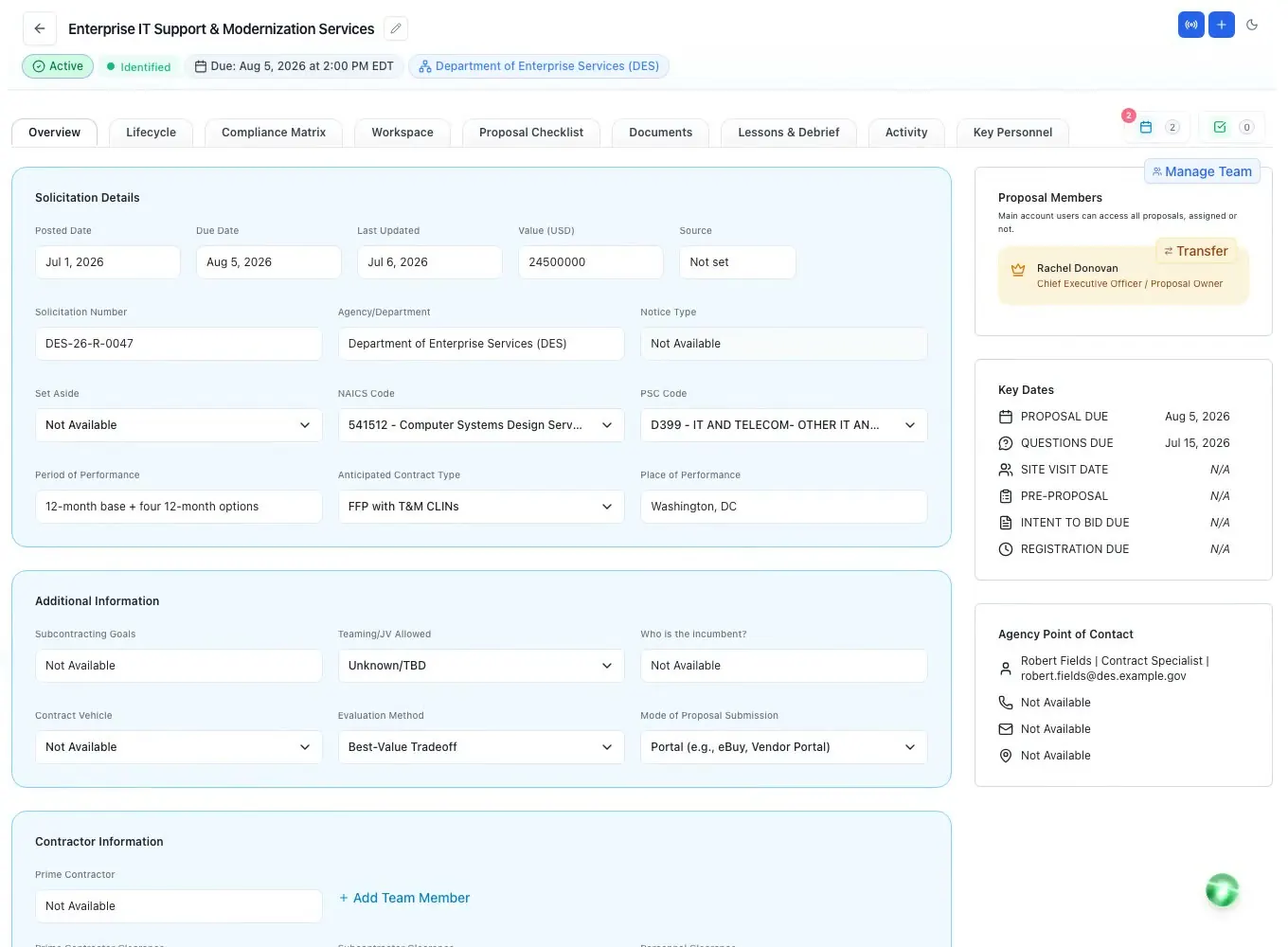
When you decide to pursue, add-to-proposal builds a pre-filled proposal from the opportunity, copies its attachments into documents, and optionally queues the AI tasks that start the work - all from a single modal.
- Quick Automation modal picks the lifecycle stage and which AI tasks to run
- Completed SAM.gov attachments copied straight into the proposal documents
- AI enrichment fills missing dates and estimated value from the notice
- Duplicate-solicitation guard: open the existing proposal or create anyway
- The same flow works from state and local opportunities
Questions people ask
Questions about bid search and match scores
Does ProposalWorkspace search SAM.gov?
Yes. SAM.gov opportunities sync daily, and you can search the full text, agencies and codes, then filter by posted date, notice type, department, set-aside, state, NAICS and PSC. The open federal bid list is also free to browse on the site without an account.
Are state and local bids included?
Yes. State and local bids sit in their own workspace beside the federal feed, with filters for state, notice type, category, agency name and agency type, such as county, city, school district or university, and the same 0-100 match score.
How is the match score calculated?
With a published, rules-based formula against your business profile, not an AI guess: NAICS 30, PSC 25, agency 15, set-aside 15, state 10 and keywords 5. The badge lists which criteria matched, and you can filter the feed to 50%, 70% or 90%-plus matches.
Can I get email alerts for new bids?
Yes. Save a filtered search as an alert and a daily briefing email brings the matches to your team. Alerts are daily, not instant, and a quick picker applies a saved alert's filters to the search you are running.
What happens when we decide to pursue a bid?
Add it to a proposal in one click. The Quick Automation step picks the lifecycle stage and the AI tasks to run, copies the SAM.gov attachments into the proposal documents, fills missing dates and the estimated value from the notice, and warns you if that solicitation already has a proposal.
Learn more
Related capabilities
 ProposalWorkspace
Ready when the next RFP drops.
Set up in minutes
Free trial, no credit card. Claude connector included.