Opportunity discovery
SAM.gov and state bids in one feed, with a published match score and daily alerts.
Read moreFederal proposal software
Updated
Federal proposal software is where a government contractor finds a bid, reads the RFP, decides whether to bid and builds a compliant response. ProposalWorkspace does all of it in one workspace: SAM.gov search with a match score, a page-cited RFP analysis, a Section L, M and C compliance matrix, an annotated outline, a cited first draft and a clean Word export.
No credit card. Every feature on every plan.
The whole federal flow
Good federal proposal software follows the way a federal bid actually runs: find the notice, decide early, answer exactly what the solicitation asks, and prove every claim. Most federal RFPs use the uniform contract format, where Section L tells you how to write the proposal, Section M tells you how it will be scored, and Section C or the PWS says what the work is (FAR 15.204-1; in the FAR overhaul text it is 15.109).
ProposalWorkspace keeps every step of that flow in one shared workspace per pursuit, so the requirement your analyst found on page 42 is the same row your writer answers, your reviewer checks and your final signer reads. Nothing is copied between spreadsheets and email threads.
SAM.gov search
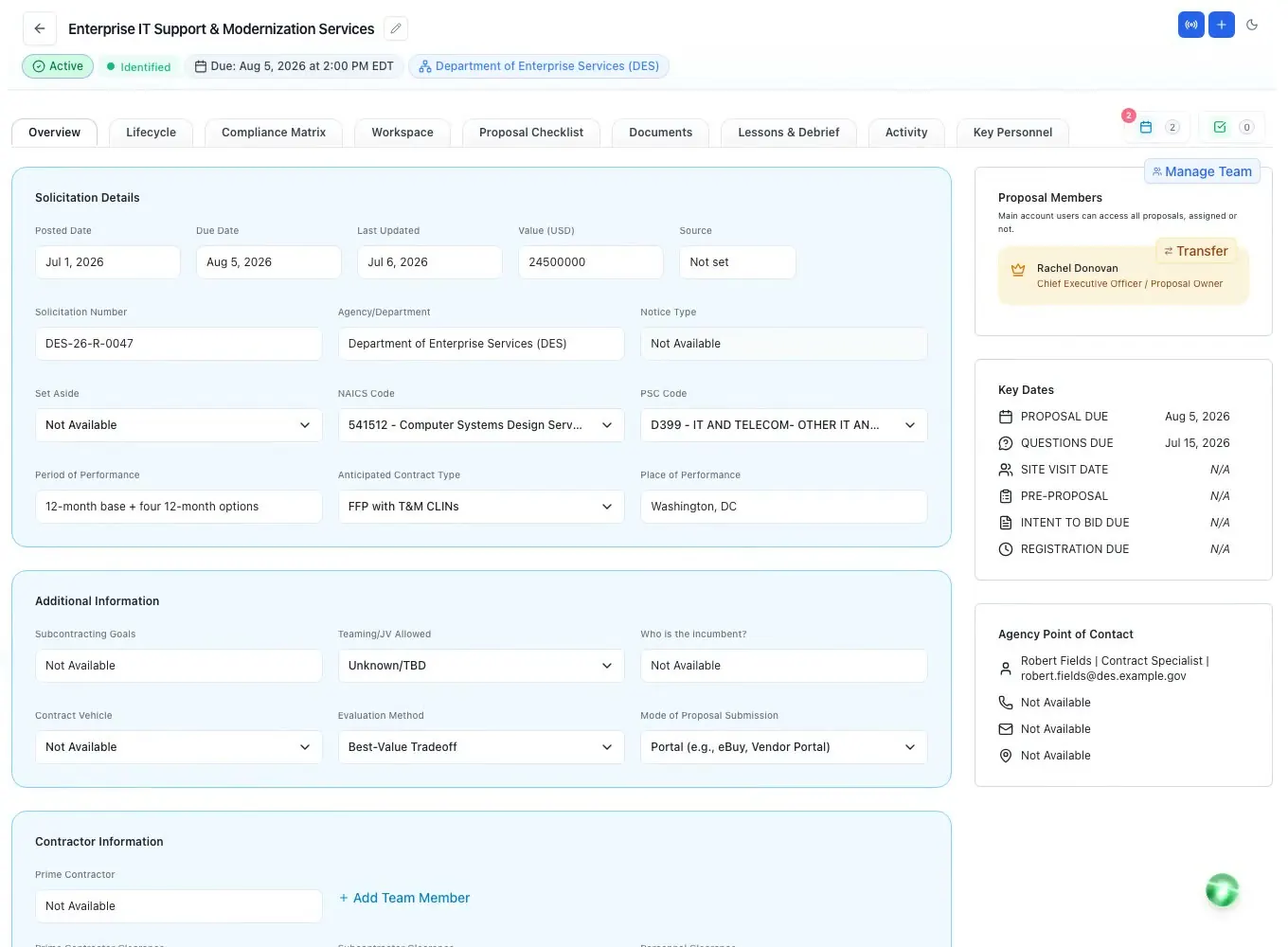
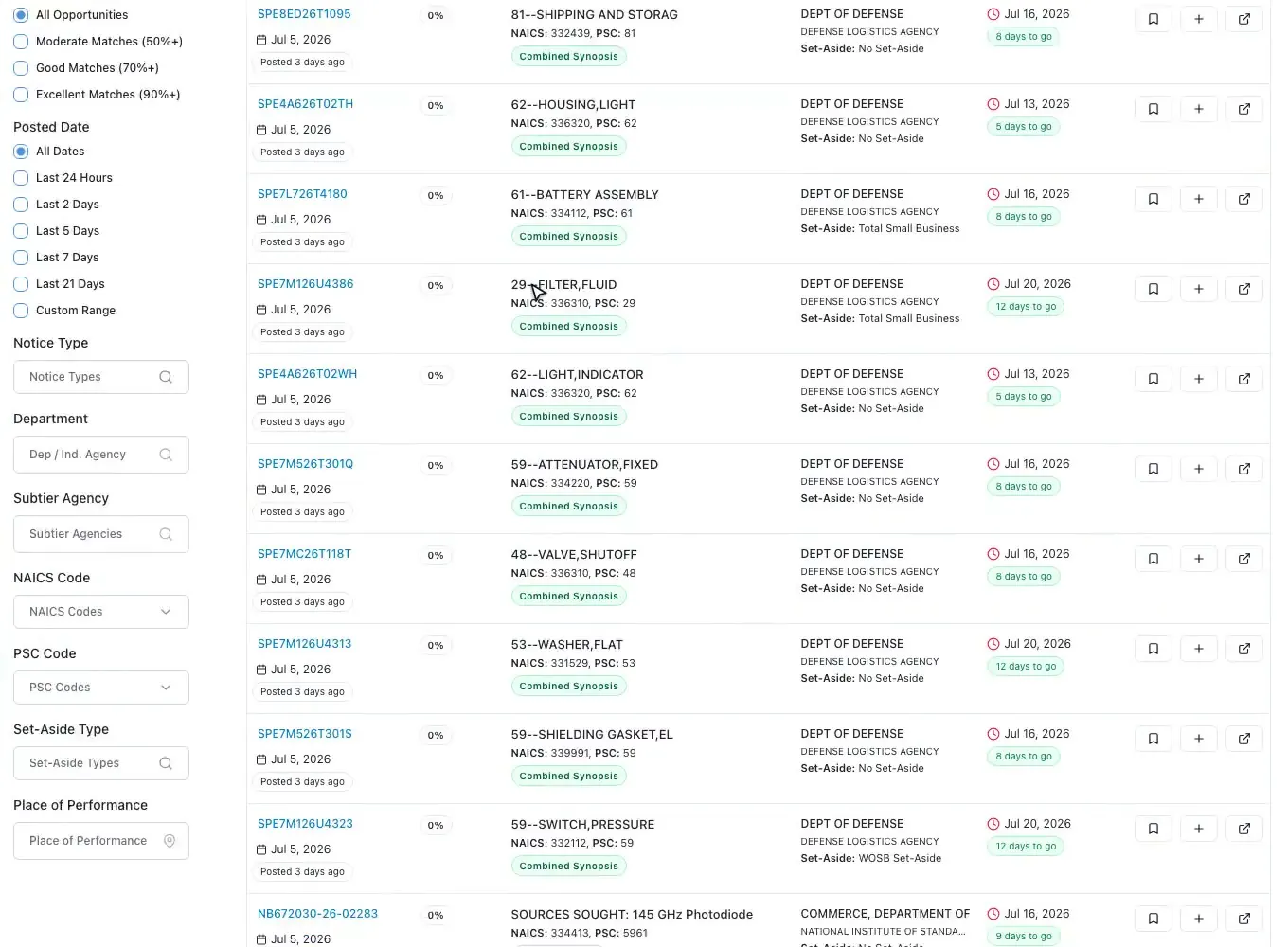
Every SAM.gov notice is synced daily into one feed you can search by keyword or in plain English, and filter by posted date, notice type, department, NAICS, PSC, set-aside, place of performance and response deadline.
Each opportunity gets a match score from 0 to 100 against your business profile, with the formula published on the card: NAICS 30, PSC 25, agency 15, set-aside 15, state 10 and keywords 5. Save a search and the matches arrive in a daily email. One click turns a notice into a proposal, with its SAM.gov attachments copied in and missing dates filled from the solicitation.
Want to look first? The open federal bid list is free to browse without an account.
Read the RFP, then decide
The AI reads the native RFP files, PDFs and spreadsheets, and lists every requirement, evaluation factor, key date, key personnel position and submission rule with the page or section it came from, so anyone can check it in seconds.
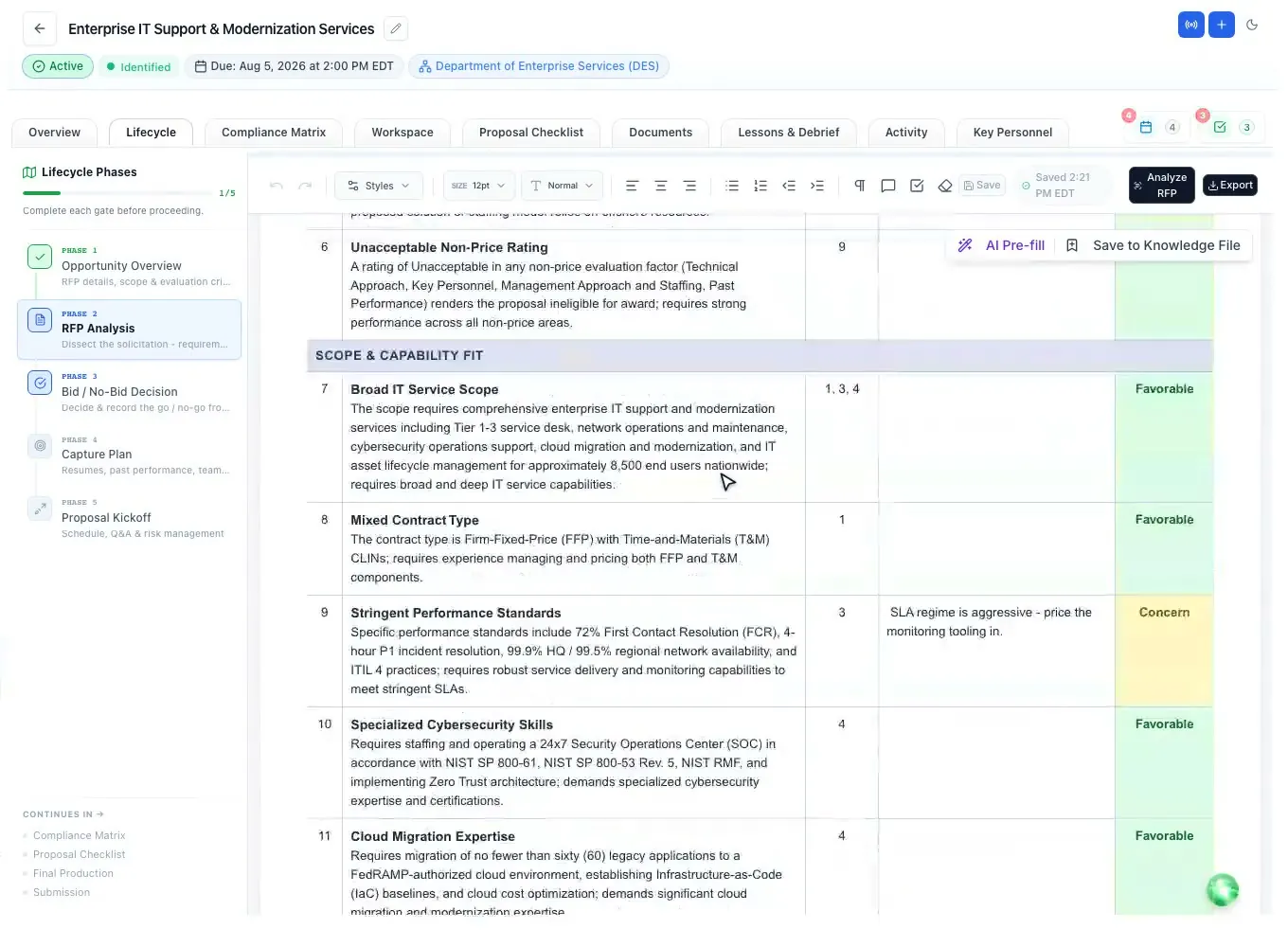
The GO/NO-GO worksheet groups the decision factors (eligibility, scope fit, competition, value, risk and bid effort) and marks each one Favorable, Concern or Showstopper. A showstopper blocks the bid. The weighted scorecard recommends GO at 70 or more, and a person records the final BID or NO-BID with a reason.
When something in the RFP is unclear, the Q&A Center drafts questions for the Contracting Officer, each linked to its source. When an amendment lands, it is compared with the base RFP and the changes are applied as tracked changes.
Compliance first
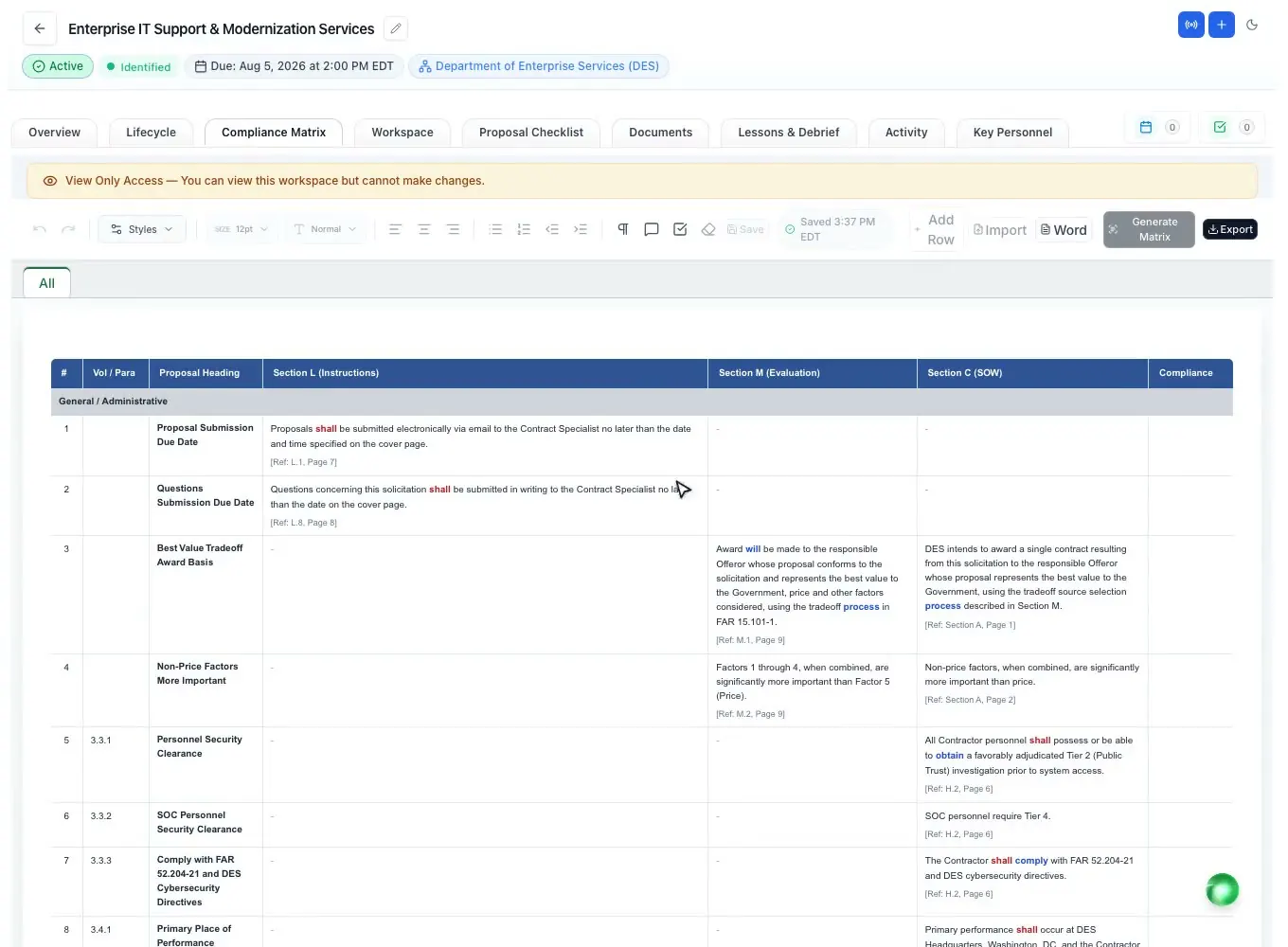
The compliance matrix breaks Section L, Section M and Section C or the PWS into rows, with the action words color-coded (shall, must, will, should) so mandatory language stands out. Each row gets an owner and a compliance call, and a summary shows how much is assessed. Export it to Excel or Word, or import your own.
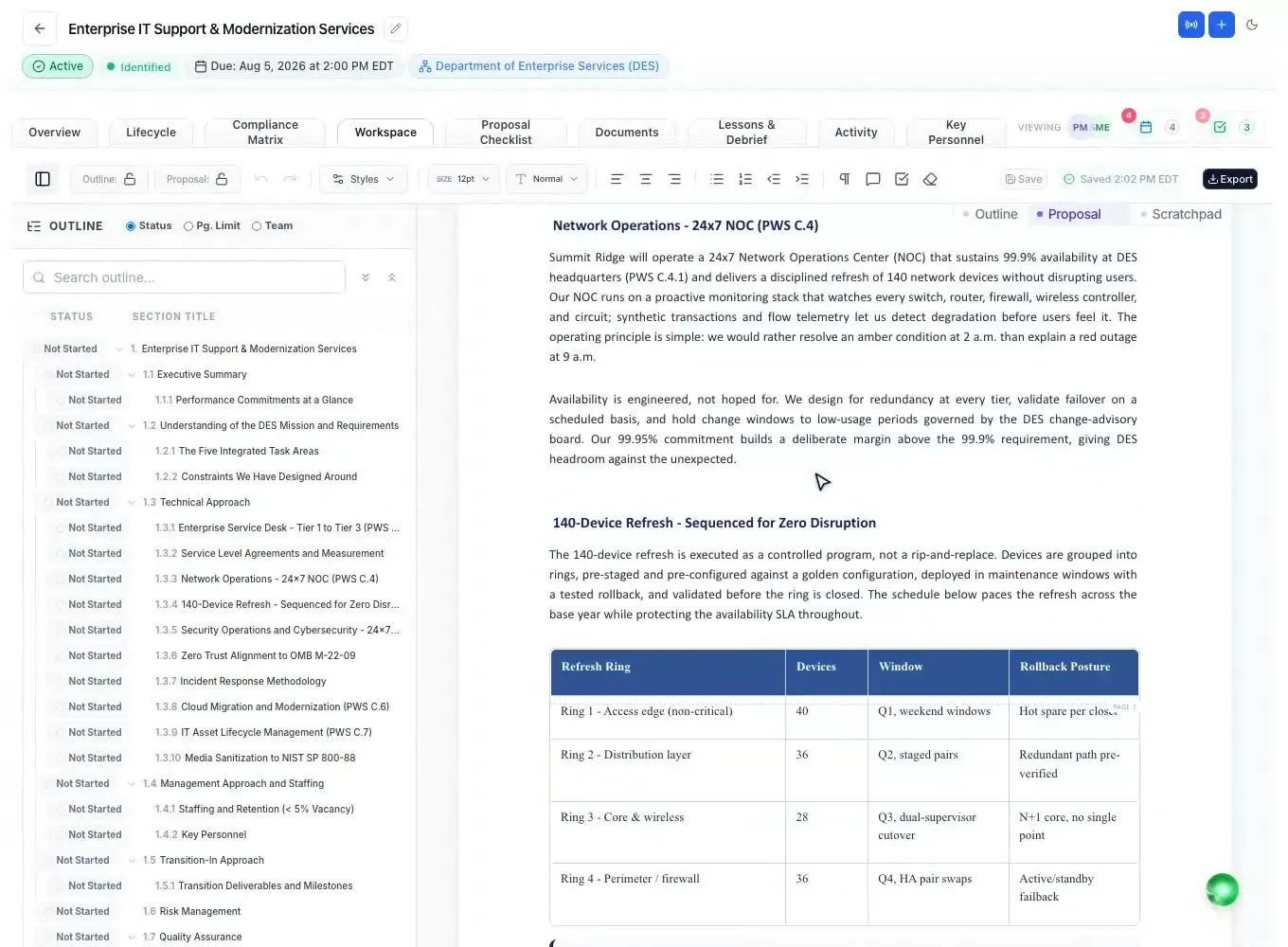
The annotated outline follows the volumes and order Section L sets, uses the words Section M scores, and adds the subsections the SOW or PWS needs, with writer guidance and placeholders for resumes, letters of commitment and reps and certs.
Read how the three sections fit together in Section L, M and C explained.
Draft with evidence
Once the outline is set, the AI drafts every section from it and from your Company Library: your past performance, your people and your documents. It marks clearly where your input is still needed instead of inventing an answer.
The editor works like Word: federal heading numbering (1., 1.1, 2.1.1), tracked changes, margin comments and page limits. Select any text and ask the AI to polish it, draft a table or add a graphic; with Suggesting mode on, the change arrives as a tracked suggestion you accept or reject.
Before anything is submitted, the AI can score a drafted section against its compliance row the way an evaluator would, with Pass, Warning or Fail and the reason. Then someone who did not write the proposal reads it and signs off, and a final RFP proposal cannot move to submission without that sign-off.
People and paperwork
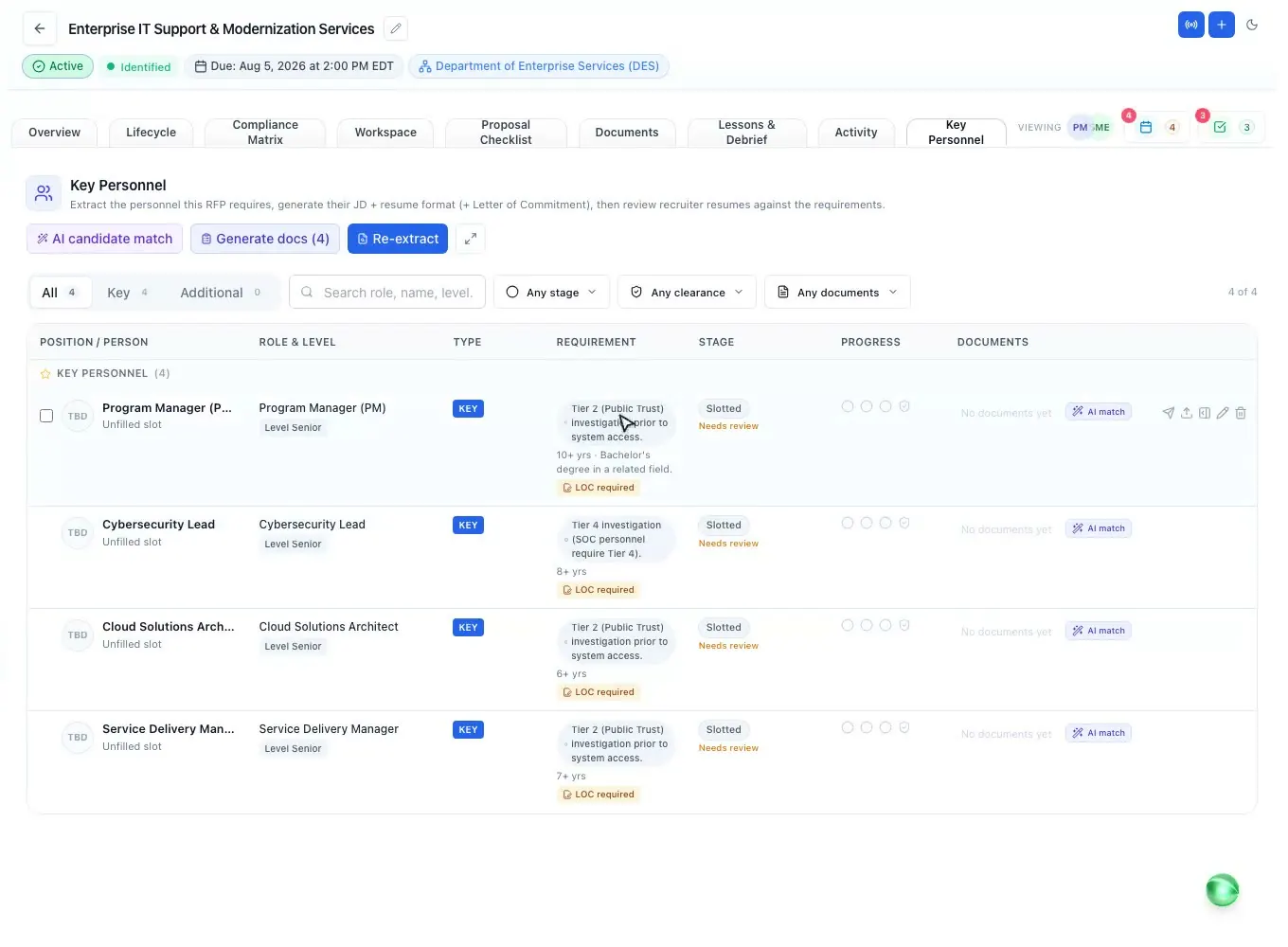
The AI pulls every key and non-key position the RFP requires, ranks your bench against the qualifications with evidence from each resume, reviews a resume against its job description line by line, and checks a signed letter of commitment against the statements the RFP requires.
A submission checklist is built from the RFP (submission details, page limits, formatting and compliance), and the add-in for Word, Excel and PowerPoint runs twelve checks over the open document. Export each volume to Word or PDF with the numbering intact; several volumes arrive as one .zip.
Your data
Each workspace is isolated at the data layer, documents are encrypted in transit and at rest, and every privileged action is logged with who, when and from where. Roles decide who can see and edit each proposal.
ProposalWorkspace has no FedRAMP authorization and no SOC 2 report, so work with CUI, or a prime that requires either, is not a fit yet. If a contract limits which AI providers you may use, ask us which providers the built-in AI uses: support@proposalworkspace.com.
How it works
Pick a notice from the SAM.gov feed, or upload the RFP. The attachments and dates come with it.
Overview, RFP analysis, outline, compliance matrix and checklist run in the background, each with page cites.
Score the bid/no-bid factors. A showstopper stops the bid; a person records the decision.
Draft from your own records, review with tracked changes and score sections against Section M.
A reviewer who did not write it signs off; export each volume to Word or PDF.
Every feature is on every plan. Plans start at $99 a month billed annually for Solo with 2 seats ($129 billed monthly), with a 7-day free trial and no credit card. Full pricing
In the product
SAM.gov and state bids in one feed, with a published match score and daily alerts.
Read moreEvery requirement with its page cite, and a GO/NO-GO worksheet.
Read moreSections L, M and C as owned, tracked rows, with Excel and Word export.
Read moreA Word-like editor with federal numbering, tracked changes and AI drafting.
Read morePositions from the RFP, a ranked bench, resume reviews and letters of commitment.
Read moreTwelve checks and live page limits inside the document you are writing.
Read moreQuestions people ask
Software that helps a government contractor find federal bids, analyze the RFP, decide whether to bid, build a compliance matrix and outline from Sections L, M and C, write and review the proposal, and export it the way the solicitation asks. ProposalWorkspace does these steps in one workspace per pursuit.
Yes. Every SAM.gov notice is synced daily into a searchable feed with filters for NAICS, PSC, set-aside, agency, place of performance and deadline, and each notice gets a 0-100 match score against your company. The federal bid list is free to browse.
Yes. The AI breaks Sections L, M and C or the PWS into matrix rows with the requirement language highlighted, and each row gets an owner and a compliance call. You can export the matrix to Excel or Word.
It writes a first draft of every section from your outline and your Company Library, and marks where your input is still needed instead of guessing. Your team edits, reviews and decides what goes in.
Each workspace is isolated at the data layer and documents are encrypted in transit and at rest. There is no FedRAMP authorization or SOC 2 report yet, so CUI work is not a fit. If a contract limits which AI providers you may use, ask us which providers the built-in AI uses.
ProposalWorkspace starts at $99 a month billed annually ($129 billed monthly) for 2 seats, and every plan has every feature. The free trial lasts 7 days and needs no credit card. See pricing.
Yes. State and local bids sit in the same workspace as federal ones. See state and local proposal software.
 ProposalWorkspace
Set up in minutes
Free trial, no credit card. Claude connector included.