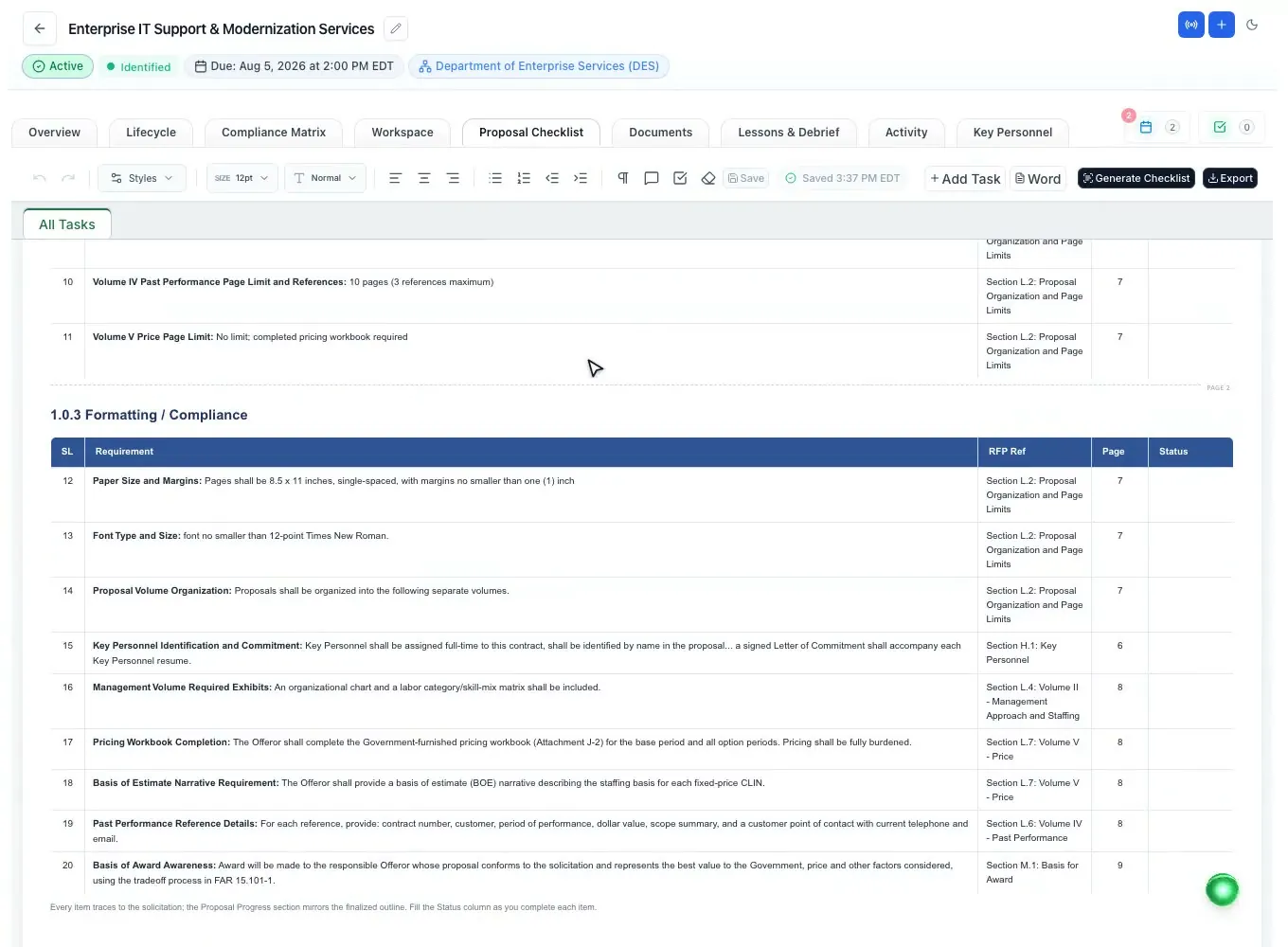
Tasks and deadlines
Owners, priorities, review milestones and automatic reminder emails.
Read moreProposal management software
Updated
Proposal management software for government contractors runs a bid as one project: who does what, by when, and what is left before submission. ProposalWorkspace gives every pursuit a workspace with gated lifecycle phases, tasks and deadlines that send their own reminders, the 42 federal proposal roles, partner data calls, review milestones, a final sign-off and an activity timeline of everything that happened.
Every feature on every plan, from $99 a month billed yearly.
Proposal development software
A government proposal is a small project with a hard stop. A proposal manager has to turn the solicitation into a schedule, assign every section and every form, chase teaming partners for their inputs, hold the reviews, fold in amendments and make sure someone checks the final volumes before the deadline. Contractors report an average of 84 hours going into one proposal, and most of the risk sits in the handoffs between people.
Spreadsheets and email threads can hold that plan, but they drift from the work itself. Proposal management software keeps the plan and the work in the same place: the task is attached to the section, the deadline to the proposal, the partner's upload to the data call that asked for it.
ProposalWorkspace is proposal development software built around that idea. Each pursuit gets one workspace with six tabs (Overview, Lifecycle, Workspace, Labor Categories, Documents, Lessons & Debrief), and the team sees the same facts: the due date, the owners, the open tasks and what is still missing.
The proposal lifecycle
A final RFP moves through six phases in ProposalWorkspace: Opportunity Overview, Opportunity Analysis, Capability Matrix, Bid / No-Bid Decision, Capture Plan, and Final Check & Sign-off. A progress meter shows where the pursuit stands, and each phase says where the work continues next.
Inside the Workspace tab the writing follows its own order: finalize the outline, build the matrix and checklist, write the proposal, run the final check and sign-off, submit. The compliance matrix and checklist only generate once the outline is finalized, so the team does not build on a structure that is still moving.
Earlier notices have their own track. A sources sought or RFI runs through a four-phase pre-award lifecycle and graduates to the final RFP with nothing re-entered when the solicitation is released; that part is covered on capture management software.
The schedule
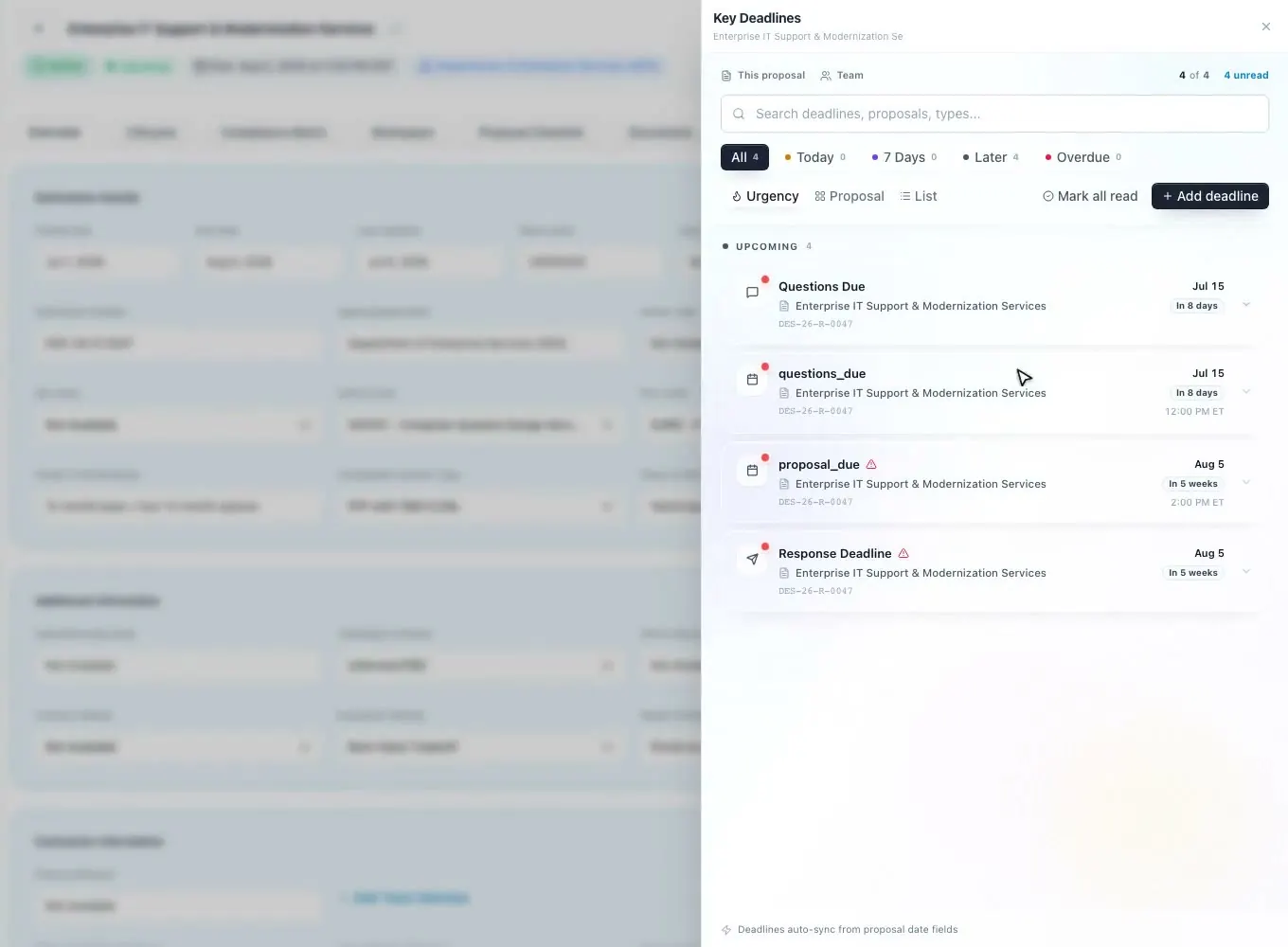
When a proposal is created, a kickoff wizard asks for the question due date, assigns the team to roles and groups, and picks the AI tasks to run. From then on, tasks carry a title, an assignee, a due date and time, and a priority from low to critical. Any selected text in the editor can become a task, and action items from a recorded team call can be turned into tasks on the proposal.
Reminders are automatic: an assignee hears about a task one and three days before it is due, and a one-click nudge sends another. Deadlines cover the whole schedule (submission, pre-submission events, review milestones such as Pink, Red, Gold and Final Team, volume and production dates, contract award, or your own), and each one sends a daily reminder email to the owner and the proposal team in the three days before it. Move a date and the team is told.
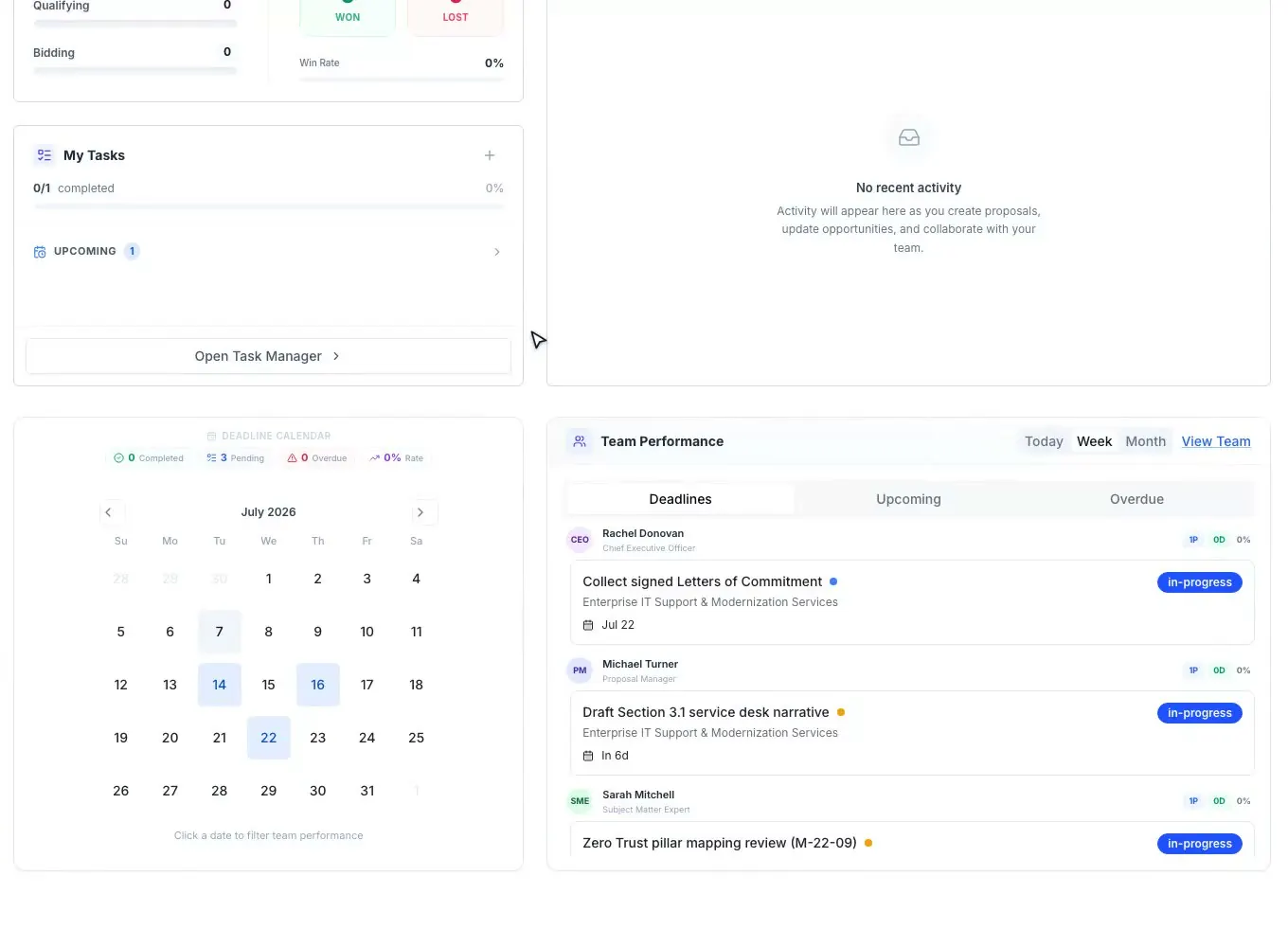
Each person has a My Tasks card on the dashboard (overdue, due today, upcoming), and the deadline calendar dots the days with open and overdue work. A global quick-add menu creates a new proposal, task or deadline from anywhere in the app, and the deadline can be copied onto the proposal's own date fields so the record and the schedule agree.
Tasks and deadlines are kept for seven years after they are archived, so a recompete or an audit can still show who was asked to do what, and when.
Who does what
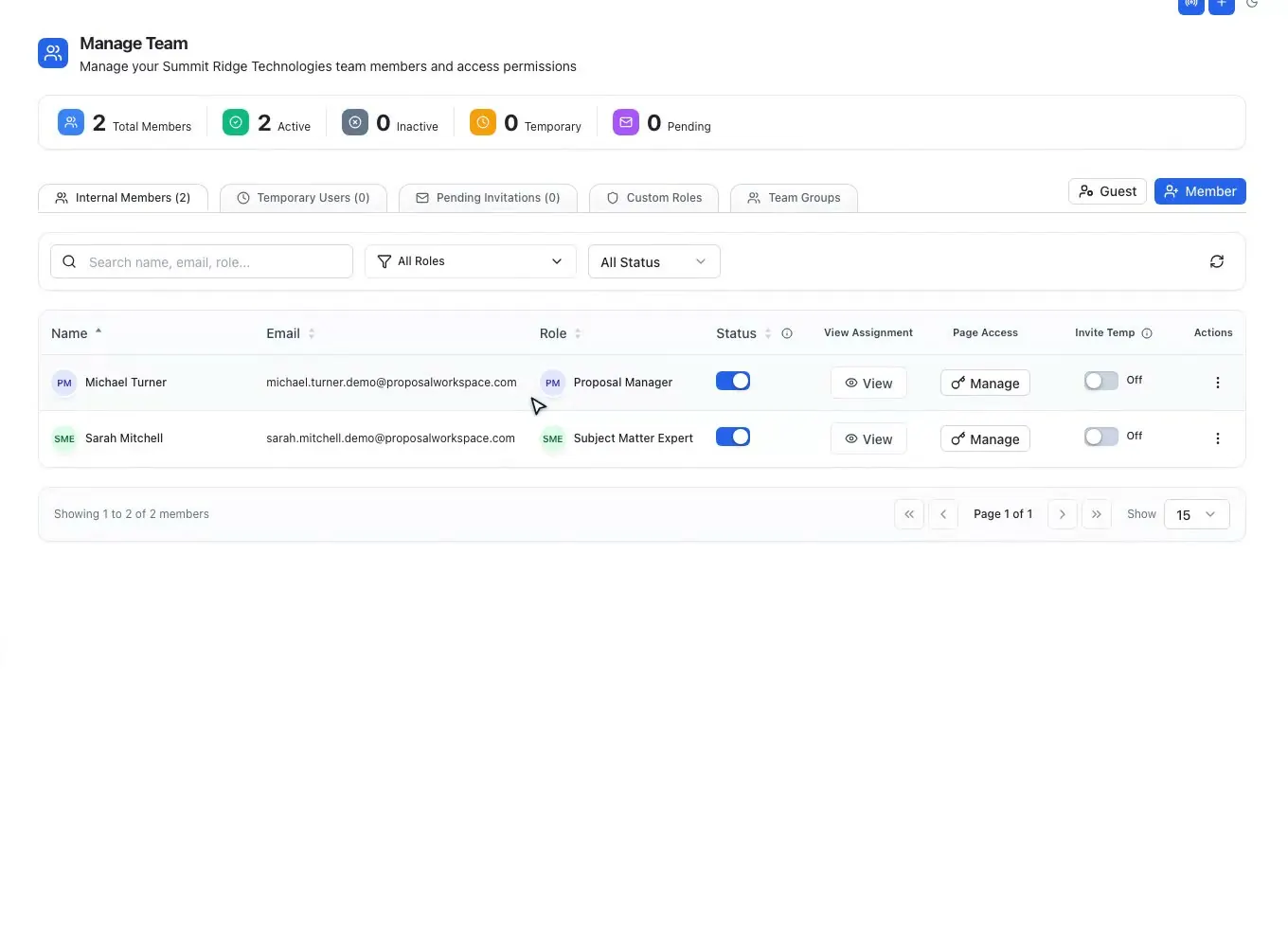
Every member of the team picks one of 42 federal proposal roles, from Proposal Manager and Capture Manager to Technical Volume Lead, Pricing Lead and the Pink, Red and Gold Team reviewers, and each role has its own color and abbreviation so the people on a section are recognizable at a glance. Team groups bundle people who work together.
Outside reviewers and consultants join as guests: view-only by default, with edit access when the owner grants it, and an expiry date (a number of days, a date, or never). Page-level access decides which parts of the workspace each member or guest can open, and every proposal logs who opened it.
Live presence on the proposal shows who is viewing and on which tab, so two people do not start the same fix, and the activity timeline records team changes along with every edit, upload, comment and status change.
Plans differ only by seats: Solo has 2, Team 8 and Enterprise 25, and any plan adds seats at $69 a month each. How roles are set up: role assignments.
Teaming partners
Subcontractors and teaming partners owe the prime their resumes, past performance and company facts, usually by a date set in the teaming agreement. A data call asks for exactly that. The AI plans what each partner must send from Section L, Section M, the PWS and the outline, and builds a Word package per partner.
Each partner gets a private portal link by email, with no account to create, and sees only their own part. They download the package, confirm their company details, upload PDF, Word, Excel or image files up to 25 MB each, save and finish later, and submit. Packages and uploads land in the proposal's Documents folder for subcontractor inputs, and the team gets a notice on each upload and submission.
Data calls are planned from the solicitation itself, so the package asks each partner for what this RFP needs (the resumes for the positions they fill, the past performance references that match the work, the company details for the forms) instead of a generic questionnaire that every partner answers differently.
A tracker shows where every partner stands, with reminders, a request for changes, accept, and a switch to turn a link off. Answers that pass a check against the RFP can be written into the proposal, with Undo.
The finish line
Review milestones sit on the schedule with everything else; how the reviews themselves run is on color team review software. Before a final RFP proposal can move to submission, Gate 4 asks someone who did NOT write it to read the final draft and sign off. Their name and the time are recorded, the sign-off can be withdrawn, and until it is given, "Move to Submission" stays blocked. A fresh pair of eyes on the final draft is the step teams skip when the clock runs out, so the workspace makes it part of the path instead of a reminder someone can ignore.
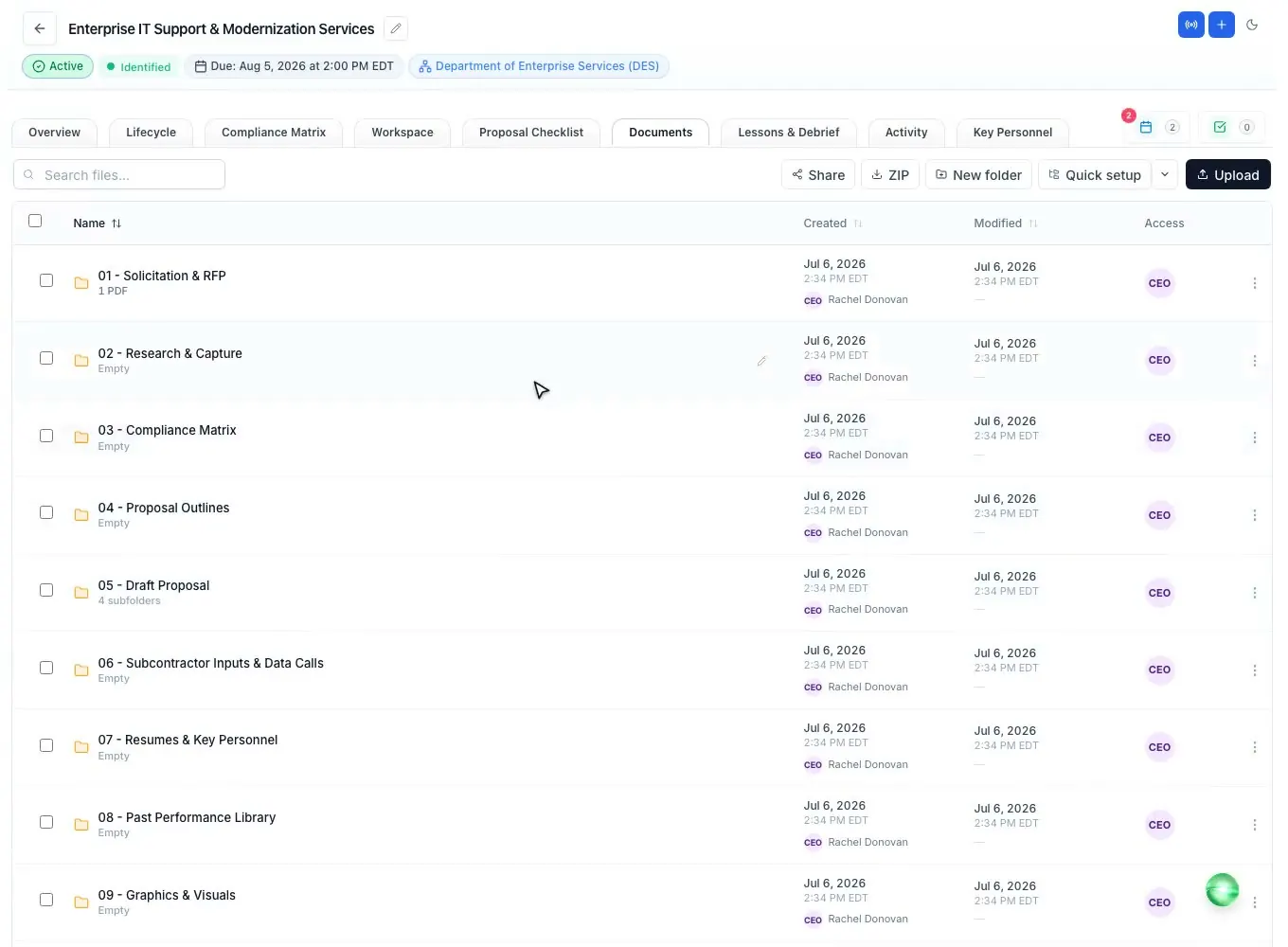
Every document lives in a folder-based document manager with upload progress, search, purpose labels and the teammate who added each file; folder templates give every new proposal the same structure. PDFs, Word files and spreadsheets open in the browser for reading and markup.
After the award decision, the Lessons & Debrief tab records the outcome, the agency debrief and a win/loss interview, and the lessons feed the next pursuit. Team chat, voice calls with recorded notes and DMs keep the conversation next to the work instead of in a separate app.
How it works
Create the proposal, set the question date, assign roles and pick the AI tasks.
Put submission, review and production deadlines on the calendar.
Give each section and form an owner, a due date and a priority.
Send data calls to partners and hold the review milestones.
Get the Gate 4 sign-off, export the volumes and submit.
Every feature is on every plan. Plans start at $99 a month billed annually for Solo with 2 seats ($129 billed monthly). Subscribe today or book a demo with our team. Full pricing
In the product
Owners, priorities, review milestones and automatic reminder emails.
Read more42 federal proposal roles, team groups and page-level access.
Read moreA package and a private portal link for each teaming partner.
Read morePhases, gates, progress and what continues next.
Read moreFolders, purpose labels and in-browser PDF, Word and Excel viewers.
Read moreEvery labor category, its candidate, recruiter and documents.
Read moreQuestions people ask
Software that runs a proposal as a project: the schedule, the owners of each section, tasks and reminders, partner inputs, reviews and the final check before submission, kept next to the proposal itself so the plan and the work do not drift apart.
The terms overlap. Proposal development usually means building the response (outline, writing, reviews) and proposal management means running the effort. ProposalWorkspace covers both in one workspace per bid.
Yes. Tasks remind their assignee one and three days before they are due, and every proposal deadline sends a daily reminder email to the owner and the proposal team in the three days before it. A changed date is emailed to the team.
Yes. A data call gives each partner a private portal link by email. They see only their own part, upload their files and submit, and the uploads land in the proposal's Documents.
Each member picks one of 42 federal proposal roles, each with its own color and abbreviation. Team groups bundle people, and guests are view-only by default with an expiry date the owner sets.
Solo includes 2 seats, Team 8 and Enterprise 25, and any plan adds seats at $69 a month each. Guests with view or edit access can also be invited to a proposal.
Yes. The same lifecycle, tasks, deadlines and data calls run for state, county, city and school district bids. See state and local proposal software.
ProposalWorkspace starts at $99 a month billed annually ($129 billed monthly) for 2 seats, with every feature on every plan. Subscribe from pricing or book a demo.
 ProposalWorkspace
Set up in minutes
Plans from $99 a month, billed yearly. Subscribe today or book a demo with our team.